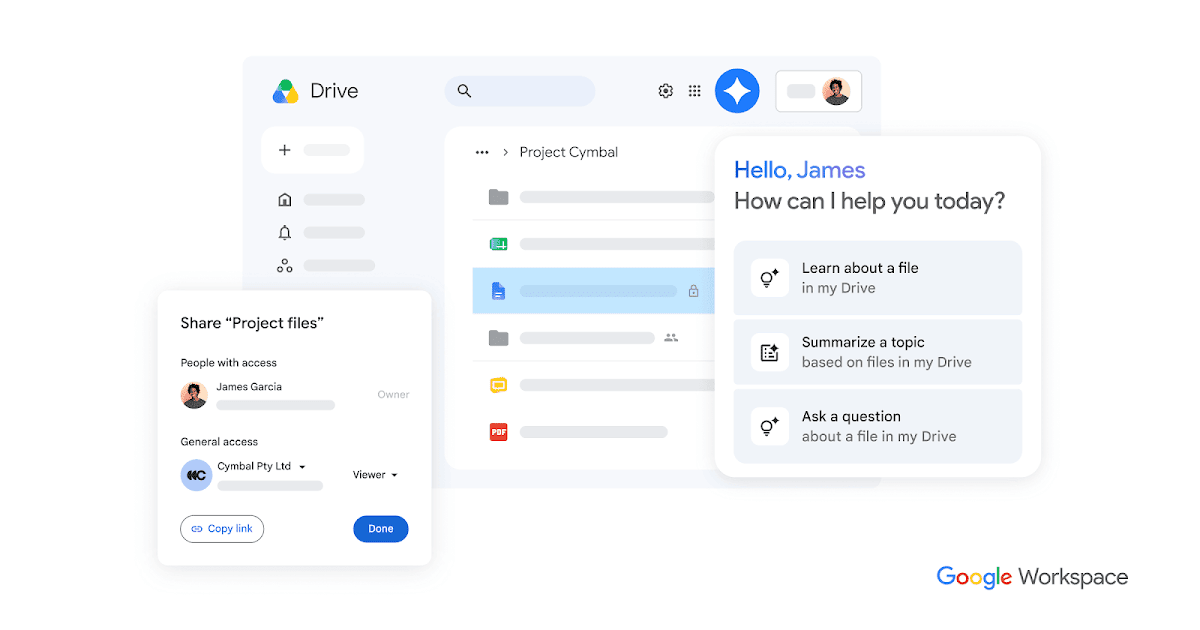
Managing files across scattered platforms costs teams time, money, and focus — and for many organizations, the solution is consolidating everything into a single, intelligent system. Google Drive has expanded its cloud storage platform with AI-powered tools designed to help individuals and teams store, find, and collaborate on files more efficiently, with storage options scaling up to 5TB per user.
At its core, Drive functions as a centralized hub where users can upload, access, edit, and share files from any device. But the platform’s latest capabilities go well beyond basic storage — integrating artificial intelligence to surface information faster and protect sensitive data automatically.
AI Tools That Change How Teams Find Information
One of the platform’s newer features, AI Overviews in Drive, provides instant, cited answers when users search for information — eliminating the need to manually dig through folders. A related feature, Ask Gemini in Drive, goes further by pulling grounded, detailed responses from content across Gmail, Calendar, Chat, and Drive itself. These responses are organized within customizable, shareable Drive projects that users control.
Drive’s search function, also AI-powered, prioritizes relevant results based on a user’s activity history, making it faster to locate frequently used or recently accessed files. Users can also get a quick overview of file activity across Workspace in one consolidated view.
Storage That Scales With Your Organization
Storage plans begin at 15GB and can scale up to 5TB per user, with the option to request additional capacity beyond that. Pricing varies by plan. Google’s Business and Enterprise editions offer expanded storage, stronger support options, and access to shared drives — spaces where entire teams can store, access, and manage files collectively.
For users who prefer working from their desktop, Drive for desktop is available for both Windows and macOS, automatically keeping local files synced and up to date. Users can download Drive for desktop directly from Google’s support page.
Collaboration Features Built for Real Workflows
Drive supports real-time editing and commenting across Google Docs, Sheets, Slides, Microsoft Office files, PDFs, and over 100 other file types. Users can add and edit comments directly within PDFs by highlighting text. File sharing comes with customizable permissions — edit, comment, or view — along with options to set expiration dates or restrict certain actions entirely. More details on sharing settings are available through Google’s file sharing resources.
Teams can also save and organize Gmail attachments directly to Drive without leaving their inbox, and mobile users can scan receipts and documents as searchable PDFs using the Drive app for Android or iOS.
For organizations that require legally binding workflows, Drive includes support for electronic signatures, making it easier to manage vendor agreements, customer contracts, and stakeholder approvals within the same platform.
Third-party integrations extend Drive’s functionality into tools like Slack, Zoom, Salesforce, Atlassian, and SAP, available on select Business and Enterprise plans.
Security and Compliance at Enterprise Scale
Google positions Drive as a cloud-native platform built to meet enterprise security and compliance demands. Key protections include ransomware detection, client-side encryption, and Vault for data retention and eDiscovery. The platform also uses AI classification to automatically identify and label sensitive content, applying data loss prevention (DLP) policies without manual intervention.
For desktop users, AI-powered virus detection is integrated directly into the Drive for desktop application, providing real-time ransomware detection and instant file recovery. The platform is also designed to help organizations address security risks and meet compliance requirements without requiring constant infrastructure updates.
Organizations currently using other storage platforms can transition using Google’s migration tools and services, which are designed to move data into Google Workspace with minimal disruption.
How Organizations Are Using It
Several organizations have shared how the platform has changed their day-to-day operations. A representative from Blue Ox Films described how Drive transformed their project intake:
“We’ve automated our kick-off process. When we have a new project come in, within two minutes, we have all of the relevant templates duplicated in a Google Drive folder.”
Learn more about Blue Ox Films’ experience.
At pharmaceutical company Roche, the scale of the challenge made manual processes impossible. A company representative explained:
“We have 100,000 users and billions of files in Google Drive. We couldn’t handle the labeling process at scale without AI classification. It provides value immediately, from the moment you turn it on.”
Read more about Roche’s use of AI classification.
For MMP, Drive has become the organization’s institutional memory. As one representative put it:
“Drive serves as a reference point for solutions from all our past projects so that our teams won’t feel like they need to reinvent the wheel when they start a new project.”
Organizations interested in exploring the platform can sign in to Drive or review Google Workspace’s business-focused Drive options to find the plan that fits their needs.